Book: Enterprise Ajax – Available now! | July 26th, 2007

Archive for July, 2007

“This is an empty box”. I love it.
This really shows the contrast between a young and aging tech brand.
BTW, if you’re curious about iPhone packaging.. See my earlier post.
As many of you probably know.. PNG’s (Portable Network Graphics) are graphic files that support (among other things) alpha-channel information for images (transparency). For the web it means you can overlay PNG’s over your web pages to do things like nice drop-shadows and such. For an example, check this out.
In Internet Explorer 6 we were given the CSS ‘filter’ attribute, which allowed the developer to essentially use directX to handle things like… PNG opacity! This was a fantastic addition, although kludgy. eg:
Instead of <img src=”my32bitPNG.png”>
you had to do things like:
<div style=”width: 50px; height: 50px; progid:DXImageTransform.Microsoft.AlphaImageLoader(src=’my32bitPNG’, sizingMethod=’crop’);”></div>
The Internet Explorer team were making noises that 32-bit PNG support would be baked right into the browser in version 7. Fantastic. Actually, IE7 is backwards compatible to support the directX filter method, but also supports:
<img src=”my32bitPNG.png”>
Great. right? No.
Actually, the two methods are NOT equal.
In fact, the new, baked in method is decidedly poor, because you cannot combine it with opacity effects, wheras you still can with the old method. [gong!]
Unfrickenbelievable.
What happens when you try to apply opacity to a 32bit PNG that was referenced the simple way? Black blotches, fringed edges, and general ugliness.
IE7 32BIT PNG WITH OPACITY APPLIED (NATIVE)
IE7 32BIT PNG WITH OPACITY APPLIED (DIRECTX FILTER)
Did we just lose functionality? Insert outrage here.
It was great to get some exposure today on Ajaxian for RobotReplay.
We’ve had tonnes of feedback and a laundry-list of things to fix in RobotReplay, so we’ll be doing a re-launch in about 6 weeks.
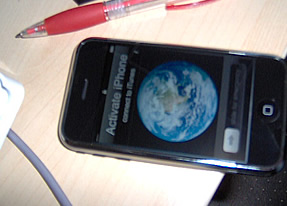
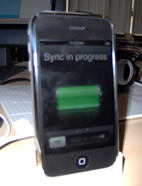
UPDATE: 4:11pm.. iPhone is now WORKING! I did “something” and now it works.. no questions! Well no actual phone capability, but wifi and mp3. See the bottom of this post for my glorious ’syncing’ photo.
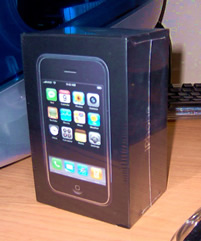
Ok this is a LIVE event folks.. I am OPENING MY NEW iPhone box.. this is a momentus event and with Jake’s help I will be documenting the entire experience for y’all to savor (uhh yeah).. ok here goes.. First the unopened box:

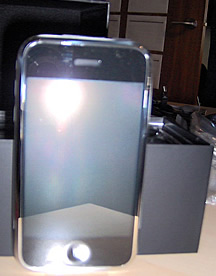
Next.. we carefully unwrap things..
ooooohh.. look at the nice box.. its a piece of art. Jake’s impressed..
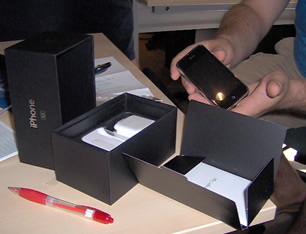
Tadaa!

Look at all the bits.

D’oh! Gotta activate

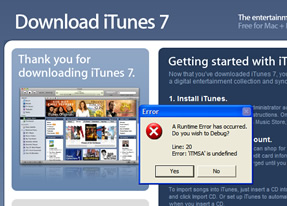
Downloading itunes in IE7.. arggg! Javascript error??

Ok I’ll try on Firefox.
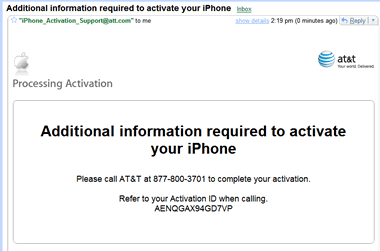
.. update: so I tried activating with my Canadian credit card because I heard there is a route to doing that where you do the pre-paid thingy.. no go. Here’s the ominous email I got:

Called AT&T.. no go. They wont do it, and AT&T will not activate my phone from Canada. I’m pooched unless I hack the phone or get my US buddy to help me out.
UPDATE: 4:11pm.. iPhone is now WORKING! I did “something” and now it works.. no questions! Well no actual phone capability, but wifi and mp3. Note: make sure have the right version of iTunes.

Ok I know I’ve said a lot about Adobe’s AIR framework lately.. but Im still at the AIRCamp Vancouver event and really digging what I’m hearing. Thought I’d distill down a few cool AIR features. Call this my “Why I should care” blog.
Preface:
All this can be done with HTML/JavaScript with a server-side back-end (if you want). Also from Flex/Flash:
Again, http://labs.adobe.com for more info.
I’m currently at AIR Camp Vancouver, listening to Mike Chambers explain the origins of Adobe’s new cross-platform runtime, AIR. It seems like the long term vision is not just limited to PC/Mac/Linux, but also other devices.. creating opportunities for true cross-platform write-once, run-anywhere development.
I was thinking a little bit about my post yesterday, and about how Adobe should be distributing the AIR runtime. I still think they need to allow developers to bundle the runtime into a single executable (if that’s even possible), but I just realized that maybe one of the biggest barriers will be convincing people the runtime is OK. This will take time, but also lots of marketing, and thats why Adobe is somewhat-uniquely positioned (along with others in their cohort, like Microsoft, Apple maybe, and a couple others) to wage the necessary marketing war to convince people its ok to have the runtime installed and running on their computer, all “black box” like.. Adobe is a trustworthy source (I wouldnt install a similar tool from DoubleClick), and I think they can get people over the hurdle of being concerned that this is a safe runtime to have in their operating system, marshalling all these anonymous applications and making sure they don’t do anything too insane..
Again, if you haven’t heard about AIR, and especially if you haven’t tried it yet, it’s free, grab the beta here: http://labs.adobe.com/technologies/air/
Incidentally, Beta 2 of AIR is on it’s way.. and will support things like icon bounding in MacOS, and taskbar support on PC
So I was working on a project today and I had to plug into the Google News API.. I tested it with our Company name and out came this article:
An Account Registering Frenzy – Sign up for Nothing (Jeremy Wagstaff)
The article essentially says that a big part of Web2.0 are the insane number of new services requiring registration.. we register, provide tonnes of personal data.. then forget about the service.. Now our idle account is sitting out there in a veritable boneyard of abandoned services.. So why was our name mentioned? Because the author was coming up with a list of silly-sounding Web2.0 names (of actual companies) and must have stumbled across ours at some point (I’m guessing from RobotReplay).
Is “Nitobi” really that wierd-sounding? I didn’t think so before now. Yeah ok it’s not an English word or compound-word like “Elastic Path”, or “Adobe”.. It’s not someone’s last name “Dell”, “Eaton’s”, etc. I don’t think anyone needs to defend it by pointing out the plenty of other silly names that have done just fine (hint: “Google”, “Yahoo”, “Flickr”, etc).
But why did we choose Nitobi?
First and foremost, we wanted a name that was:
Meeting those criteria was hard enough. Next we wanted something that spoke to our team. We happen to be located in beautiful Vancouver, British Columbia, home of my alma mater the University of British Columbia, where you will find the incredible Nitobe gardens– a Japanese botanical garden. We felt it was a symbol that represented a lot about who we are: a pacific rim city, and an outdoors-oriented bunch of people. We changed the ‘e’ to an ‘i’ to avoid bugging the real Nitobe gardens, and we had a name!
If anyone has any thoughts on our name or branding.. or on web2.0 names in general… would be cool to hear what they are!
BTW.. if you want a Web2.0 name generator: http://www.lightsphere.com/dev/web20.html
So our very own Andre Charland is on tour right now with the Adobe folks on the AIR (Adobe Integrated Runtime) bus tour http://onair.adobe.com/. Besides the fact that it looks like a lot of fun, its a great opportunity for us to be demoing not only our components, but also helping spread the word about Adobe’s new development tool.

For those who don’t know, AIR is a cross-operating system runtime that allows web developers to leverage their existing web development skills (such as Flash, Flex, HTML and JavaScript) to build and deploy web applications and content to the desktop.
AIR is exciting to web developers for few reasons:
![]() |
| Nitobi’s Fisheye Running in AIR on my desktop |
So what does this mean for the web development community?
What are the challenges / risks?
In general I think it will be crucial for Adobe to find effect means of distributing the AIR runtime component.. much the way they did with Flash. Blogs and advertising will get them the techy community, but to get real desktop penetration, they’ll need to ship it with a browser or piece of software that everybody owns. I had some ideas of my own… not all of them practical.
A final thought here is the risk of someone uncovering a security hole or flaw in AIR that results in a PR firestorm for Adobe. If that happened, it would really hurt it’s chances of being adopted. This happened to ActiveX in IE. This is going to be a tricky tightrope for Adobe – offering enough power within the runtime, but pre-emptively avoiding any potential holes before they become vulnerabilities. When we visited Adobe earlier this year it really sounded like that was a major focus of theirs. We’ve noticed they’ve been very cautious in turning on functionality in Webkit, and I would guess that they’ve scaled back the capabilities of AIR for the initial release just to reduce their exposure should they have forgotten anything.
At any rate, I have doubt that this will become a major feature of the web. After playing with AIR myself, I’m quite impressed with how easy it is to build pretty powerful functionality. If you haven’t downloaded it, get on over to the Adobe website (http://labs.adobe.com/technologies/air/) and grab it. There are some great free resources here: http://www.ajaxian.com/downloads/books/AdobeAIR_for_javascript_developers.pdf if you’re looking for tutorials and the like.
�
If you are building a drag and drop widget for Safari, you may be interested to know what the preferred technique is for preventing the highlighting of text. Well its actually a lot easier than other browsers.. In your CSS class, go:
-khtml-user-select: none;
You are currently browsing the archives for the Uncategorized category.