Skip to Navigation | Skip to Content


Archive for the ‘web2.0’ Category

Some thoughts on Apple’s MobileMe | July 11th, 2008

MobileMe is Apple’s answer to Microsoft Exchange with some additional features that look a lot like that Microsoft is offering with their new Live Workspace service. Essentially it gives you a unified way to handle eMail, Files, Photos, Calendar, and Address Book between all your machines including your PC, Mac, iPhone (iTouch), and AppleTV. For a marketing overview, check out the video over at apple.com. Its main advantage for business users is probably the way it provides similar functionality to Blackberry with the Push-Email Push-Contacts and Push-Calendar features. This means that the very moment an email is sent to you, you are notified with an audible noise from your iPhone without having to wait for it to page the server. Pretty cool indeed, and I bet RIM is shaking in their boots.

The Good

Email. The web based eMail application seems top notch. Clearly mirrored on Microsoft Outlook, it provides a clean, fast UI with seamless integration to the other MobileMe services. The push-email to mobile devices such as iPhone and iPod Touch make this feature an excellent choice for business users. Also, the Ajax-y goodness baked right into the Sproutcore platform makes this a really competitive webmail solution – right up there with Yahoo Mail and Gmail.

Online Storage with iDisk. This is something that has really been missing all-in-one suites. Some way is needed to move large files about the web between devices that doesn’t feel so ‘tacked on’. I was really impressed with the way Microsoft is solving this problem with Live Workspace, and it looks like Apple is following suit with 20GB of storage.

Calendar. This feature is well executed. The calendaring synchronization between devices is perfect, and the UI for the calendar interface on the web is as good as Outlook’s.

The Bad

No Chat. Integrated chat is conspicuously missing from this package. While I can do texting-yes, I cannot see those conversations in the web view if I am away from my phone or don’t want to use my phone. I’ve really gotten used to this feature with Google Apps.

Browser Support. It’s odd that a solution targeting PC users does not support IE6 and only has limited support for IE7. As a rich-ui web developer I know that it’s far easier to build a web app that supports these browsers from the beginning than to go back and fix it later.

Price. Apple is asking for $99 for an individual account (per year). If you buy an iPhone or Mac you can get it for $69. To me this is steep. If I fork out the $2200 commitment for a new iPhone (with 3 year contract in Canada) why are they asking for $70 more bucks just so I can have the same level of communications Blackberry offers me all-inclusive? Also just generally what I expect these days for $99 is quite a lot when it comes to online services. Microsoft will sell me an entire office suite for $170 – I feel like I’m getting ripped off by paying $100 to Apple to make their own devices talk to one another. If I had to pick a price that would make sense for me.. I’d go closer to $49 for the Individual account, and no more than $20 if I buy a new computer or iPhone and sign up within 30 days.

Data Migration. I have so far seen very little on how they are going to help me move my data from Blackberry/Exchange/Google Apps to MobileMe. This is huge for winning converts and my biggest objection so far.

The Verdict

Apple has bitten off a lot for the first release appears to have chosen well for the baseline featureset. As always, I am wary about jumping on new Apple products right when they come out because I usually get burned (either with unanticipated price drops soon after launch, or hardware/software failures). However, my main objection to mobileme is that I am a committed Google Apps user and would have a hard time migrating all my data – as well as my email address. I will certainly keep my eye on this because I would love to get this level of integration with my devices, and like a lot of what Apple does, it looks oh-so-sweet.

Posted in Rich Internet Apps, apple, business, microsoft, web2.0 | 4 Comments » | Add to Delicious | Digg It

NitobiBug – JavaScript & DOM Inspector and Logger | May 25th, 2008

I wrote a fairly basic but handy JavaScript Object Inspector and Logger that works across different browsers. I call it “NitobiBug“.

Read all about it’s features here. I did a video tour also, which you can see here (turn down your volume – its loud!).

Check out the live demo here.

Essentially, what it does is provide a logging utility like Firebug’s console.log that properly inspects objects and shows you it’s members. If you log errors it formats them nicely too. If you inspect DOM elements with it, it attempts to show you where on the page they are and calculate their widths and heights and positions on the page. You can resize and drag NitobiBug around the page, and it tries to remember where you put it.

I use it all the time while I’m working on RobotReplay so I figured maybe other people would too. It’s certainly not the only such tool out there but I think it’s decent. Anyway, your comments are welcome!

Posted in User Interface, ajax, components, resources, rubyonrails, web development, web2.0 | 3 Comments » | Add to Delicious | Digg It

Review of Viewzi | May 12th, 2008

I felt lucky to get on the Viewzi preview invite list. You can too if it hasn’t launched by the time you read this. Viewzi is a search aggregator that tries to present search results in an innovative and user-friendly way. This is achieves quite well, in my opinion, having studied a few other attempts at this over the years (snap.com, nexplore.com). Here is a summary of my experience on Viewzi today.

Launch Page

Nice and simple. I like the invitation to watch the training video. However, then I went to see it in Internet Explorer 8 (running in IE7 mode) and the whole thing went to hell (see screenshot below)

I was also treated to a JavaScript error. Next, I was curious about the footprint of this launch page. I opened up FireBug and watched the download. This page is 113kb, which in my opinion is too much for a search launch page. I recognize that nobody on a dial-up connection would ever use this site to begin with – fair enough, but under high-load conditions this is going to be an expensive page to serve and probably a slow page to download. Certainly when compared to the 12KB of utilitarian sparseness of Google.com. Anyway, the page did in fact come up very quickly for me so I probably shouldnt complain.

Test-Search “U2″

I tried searching for the band “U2″ and was presented with this results-browsing view. First off – it looks great, and the UI is really smooth and intuitive. However, this was not a search-results page. I think I should have been shown search results right away – as a jumping-off point for browsing these other views. Note: If you DO click on a search results view, further searches are immediately presented in this view.

In general I was impressed with the overall speed of everything. Search aggregators have a rep for being sluggish. I didn’t get that impression here.

Next I started exploriing the different views. Since U2 is a band, I was curious what results the MP3 view would produce:

These were all U2 songs and I could play then directly from the viewzi window. Nice! The other day myself and Mike Han were talking about 90’s rock and we wanted to hear some Nirvana. This would have been great.

Next I clicked on the ‘celebrity photos’ view to see if there were any Bono mugshots.

No mugshots, but these were mostly all relevant. The question is what can I actually do with these results? Normally when I’m searching for images I want them to download. for use in some graphic I’m putting together. This isn’t the view for that, but fortunately there IS another photo view:

This is where Viewzi had search-relevance problems. None of these images were of U2. Oh well.

Back to the other results. Viewzi has traditional text-search results that aggregate Google and Yahoo (is that legal?). Anyway, they were spot on of course – and quite snappy. The other view that really caught my attention however was the Video search:

The video search aggregates a bunch of video services in a really cool browser that actually saves you a lot of time. To me this is one of the key strengths of a service like this.

Overall I’m really impressed with Viewzi. I think it had some search relevance issues with the images but I’m sure they’ll continue to work on that as they move towards release. I think what could really help Viewzi is if they in turn opened up their aggregation capabilities in the form of a set of API’s, and Widgets that other people can use on their sites in the way that Snap.com has done. I don’t think I’ll really switch over from google (not until they get their browser search widget to work) – but I’ll definitely be checking back to see how it evolves. In the meantime, I encourage you to check it out: viewzi.com

Posted in User Interface, business, search, web2.0 | No Comments » | Add to Delicious | Digg It

Scott Adams on MySpace Hipsters | April 27th, 2008

Lovin’ it!

Posted in media, politics, socialnetworking, web2.0 | No Comments » | Add to Delicious | Digg It

Really Useful Ajax Activity Indicator Service | April 23rd, 2008

We use this service all the time. I used it on Nintendo.com, and I’m sure many of you could use it to. If you ever need an activity indicator, and want to be able to customize the background color, etc.. check this out:

http://www.ajaxload.info/

Love the token Web2 BETA logo up in the top right corner.

Posted in Rich Internet Apps, User Interface, ajax, resources, web development, web2.0 | No Comments » | Add to Delicious | Digg It

The Business of Making Things Simple | April 17th, 2008

On the proverbial eve of our Q2 release I’m thinking about how far we’ve come with our components. We’ve been building components for 5 years or so now and I dont mind telling you that it took us a while to figure out that we are essentially in the business of making complicated things simple. That being the case I guess we have something in common with companies like Apple, Microsoft, Books for Dummies, Internet Dating sites, and the like. The hard part for all these guys is modeling complex real-world problems as software features, but their market success is driven by how well they package those features so they are in-turn, dead-simple (if not fun) to use. This isn’t an airy-fairy ‘do what feels good’ problem – but it’s a worthwhile place to invest your time if you’re a software or hardware vendor – I mean heck: Apple is selling almost 20,000 iPhones per day. They didn’t do that with entertaining commercials alone.

As anybody who has become a fan of how Apple (and indeed Microsoft to some extent) packages their software and hardware solutions will agree, communicating technical features is just as much a science as software development itself – even if the lines are blurred sometimes. You would also agree that Apple has made buckets of money focusing on this aspect of their products, and has even created a sort of ‘premium good’ effect around this experience. Apple products sell for more than their competition, and with some notable exceptions we just can’t get enough.

This advice applies also to many of our customers – who are also building software products. Here are some random examples from our (very niche) world of computers and programming in general to help make my point: invest in usability if you want your technical product to succeed.


NSite was a customer of ours from way back. These guys had built a product around allowing business users to rapidly assemble and customize web applications without writing a line of code. Everything was done through their web interface, and you could build spreadsheets, import Salesforce.com data, connect to web services, build forms, and generally run a lot of CRM data through their system in an easy to use web-app. They’ve since been snapped up by Business Objects although not until they racked up a whackload of customers. Of course, there are others doing a similar thing using newer technology like DabbleDB.

Why Conventional Wisdom Says it Should Have Failed

Why should developers be interested in hog-tying themselves to a proprietary web framework that doesn’t even let them get in and code? Why should non-technical users be interested in developing applications? Who has the time to learn their development paradigm and the imagination to see how it can be jury-rigged to suit real business problems?

Why It Succeeded Anyway

Who wants to pay a developer to write something in one year what I (as a business user) can set up in 3 days on NSite? The fact that they made the back-end open with lots of ways to get data in and out meant that real developers could extend and connect to other enterprise systems. Another thing they must have realized is that a lot of business users would love to get in and tinker with their business apps. It’s like customizing your hot-rod to get things just right for you. They combined that effect with a hefty sales force of their own to create a dynamite product concept that consumers loved. Hello Business Problems, meet Simplicity.

ruby_on_rails_logo.jpg

For those who don’t know, Ruby on Rails is a web development framework based on the Ruby language. If you really don’t know anything about it, read the Wikipedia page on the subject which is written for anyone to understand. Basically, it appeared on the scene in 2004/2005, and quickly formed a cult following in the web development community. It employed concepts from Model View Controller, package management, Ajax, and combined that with a scripting language known for its brevity or terseness. The result was a platform that was tailor-made for rapid prototyping of “Web 2.0″ applications – If you bought into it’s very radical view of the universe (more on this below). Fast-forward to 2008 – Ruby on Rails books are the fastest-growing book category. The movement has spawned a series of conferences, has gained a worldwide fan-base, and has influenced other frameworks (including .NET), probably making the founders quite rich in the process.

Why Conventional Wisdom Says it Should Have Failed

A question for software developers: How many times have you heard the following? Here is a brand new and very opinionated development framework that forces you to learn a new scripting language, and develop in a totally different way than you probably were before, with virtually no enterprise support? Sound like fun? Actually, a lot of critics point out that in some ways, RoR is a very restrictive way to program. You simply cannot build applications in the same lazy-ass way you did before in RoR, forcing you to re-learn your approach. Who has time for that? Also, problems with the web server, mongrel, meant that it was relatively more difficult to build large scalable apps owing to a lack of multi-threading in the software. Popular RoR apps like Twitter are infamous for continually going down at the worst possible time.

Why It Succeeded Anyway

The truth about RoR fanaticism is definitely more complex than I’m revealing here, but the essence of it is that RoR does more things right than wrong. Rails offers a way to build web applications that is ridiculously fast, and once the shroud was lifted, the early-adopters who stumbled onto it couldnt believe their eyes. It’s worth giving up a little bit of flexibility for the sheer power of being able to write features as quickly as you can imagine them. Want an Ajax-powered autocomplete? 5 minutes. Want some simple animation? Just a few simple lines of code. Want to connect to a database? You barely need to even think about it. Turns out, programming doesn’t need to be complicated to be powerful or worthwhile. If the stigma of being one of the ‘cool rails kids‘ doesn’t bother you, you’ll do yourself a favor by checking RoR out

apple_computer-01.jpg

This one is a little obvious, but hopefully I can spin it in an interesting way. Apple Computers are king for making things simple where they were previously complicated – and consumers are throwing themselves before the church of Jobs (Steve) begging them to open an Apple Store in their town or city – in which to worship. I think we all know a little about the history of Apple, but it’s the recent incarnation that has everyone foaming at the mouth. I’ll jump right into the bad:

Why Conventional Wisdom Says Apple Should be a Tumbleweed on the Plains of Computer History

Apple computers are expensive. In an age where you can by a brand new laptop computer from Dell for $500, why would you spend $2000 for something similar from Apple? On top of that, when you own a Mac, you pay for everything. Virtually none of the software is free. You cant even have a photo sharing account without paying for it. If you’re a gamer, you’re out of luck too because historically very few games were ported to the Mac. On top of all this – the operating system that Mac’s run on used to be thought of as something a child or non-computer-savvy person would want to use. What did this do? It left early-adopters out of the equation because those people are typically very tech-savvy. Finally, Mac’s are known to suck when it comes to interoperability. The file system was totally different, so while you could open a document on a Windows-formatted disc, you couldn’t do the opposite. On top of that, networking a PC and Mac together was tricky. All in all it was an IT Managers nightmare to have an employee on an Apple (unless they all were).

Why Its Succeeding Anyway

A couple of things work in Apple’s favor. One – people are increasingly fed up with Windows and Microsoft. Improved anti-piracy technology in Windows and on Windows-based software in general means the price gap is shrinking all the time. While that’s true, it doesn’t explain the meteoric rise in Apple fandom. The real secret is to do with how Apple has managed to make their machines the most powerful PC’s on the market at the same time as the easiest to use. Computer-illiterates love Mac OS because they’re elegant, functional, intuitive, and minimalistic. Geeks love them for the same reasons, but also because under the hood there is a lot of power and control available to those who want it. There is a legitimate premium built into the price because consumers know that when they want to connect to the Internet, or install new hardware, it will just work. When they want to build a photo album or burn a CD, it practically does it for you.

Conclusion

The point I wanted to make here is that there is a culture shift happening in software development, and it’s mirroring what is happening in the consumer marketplace too. I think that engineers used to think that if something isn’t complicated, it’s not valuable or worthwhile. I think people are starting to think differently – as we at Nitobi are with our components. There’s no reason why we can’t achieve both goals – power and simplicity, with some care and attention.
Posted in .net, Rich Internet Apps, ajax, apple, business, components, microsoft, rubyonrails, web development, web2.0 | 2 Comments » | Add to Delicious | Digg It

NetMite is awarded a parasitic Web2.0 patent and couldn’t sell it | April 4th, 2008

Don’t you just hate it when someone is awarded a blanket patent on commonplace technology that they can’t even truthfully claim they invented? Case in point: NetMite (Yongyong Xu) and patent 6,418,462. “Global sideband service distributed computing method”. I’m not a lawyer, but on the surface this patent protects the idea of distributed computing via Ajax.. but if you read the actual language of the patent, it actually appears to describe Ajax itself:

A new method of distributed computing, sideband computing, that is global, scalable and can utilize many idle CPU resources worldwide. Sideband is defined as when a user connects to some (normal) network services, a separate communication channel is opened, through which a server distributes its tasks to all the clients and collects the results later

OK read between the lines.. Ajax, right? The point of this patent? Frivolous lawsuits, obviously. In a recent article on MarketWatch.com, the writer remarked:

Xu said that while he’s been pleased to see his research put to use, he believes that “these big companies are taking advantage” of technology that they should rightly pay for. He said he hasn’t had any luck getting the attention of companies that might be interested in licensing what he refers to as his “AJAX patent,” and thinks an attorney might fare better.Â

Well a quick visit to the illustrious inventor’s website will reveal a colorful display of MS Paint images and animated gifs – indicating to even the untrained eye the seriousness and gravity of this impressive individual’s important research and brilliant mind.

So he took his insane patent to a company called Ocean Tomo who auction intellectual property. At the asking price of $2 mil there were no bids, and there were no bids at $1 mil. There were no bids at all, as a matter of fact, but later after discussing the lot with some investors in the hallway, one of them remarked that there might really be an opportunity for development as a “licensing and litigation” property.. heaven forbid we actually try to develop this amazing technology.

A couple things have occurred to me about this particular case.

#1 – Why on earth was he awarded this patent to begin with – given that Microsoft invented “Microsoft Remote Scripting (MSRS)” in 1998 which was intended for exactly this purpose.

#2 – Anyone foolish enough to buy this from him with the intent of blackmailing large companies out of their money has an uphill battle ahead of them. Prior art, and the sheer ludricity of the claim will provoke executives to dig in their heels and fight it until the complainant is broke. Any acknowledgement that they are illegitimately infringing on a valid patent will create a precedent and open the floodgates to all kinds of crazyness.

Despite all that – I can see a useful purpose for this patent. I think a company who is infringing on other patents who wants something in their pocket as a defensive tool might be interested in having something like this since it might at least be effective as a deterrent to lawsuits against them – since probably everyone in the universe is infringing on this.

Posted in Rich Internet Apps, ajax, business, web development, web2.0 | No Comments » | Add to Delicious | Digg It

Get your Bad Usability Calendar! | February 19th, 2008

The people at NetLifeResearch have put together a funny little ‘Bad Usability Calendar’ which is an interesting look at some bad habits in interaction design. I’ve reposted it here (bad_usability_calendar_08_us_english.pdf) for download but you can also get it off their site here (http://www.badusability.com/).

Some highlights:

  • Only add personalization where it adds value
  • Dont require login where it isn’t needed
  • Bigger is better (at least easier to click)

Posted in User Interface, documentation, graphic design, media, web2.0 | 2 Comments » | Add to Delicious | Digg It

Oh, Glen Beck… | August 19th, 2007

It’s pronounced TWiTTER, not TWEETER.. which you said twice in a row.. like an idiot.

Wait.. IS there a tweeter? I wouldn’t be surprised. If so, disregard.

Posted in Rich Internet Apps, media, web2.0 | No Comments » | Add to Delicious | Digg It

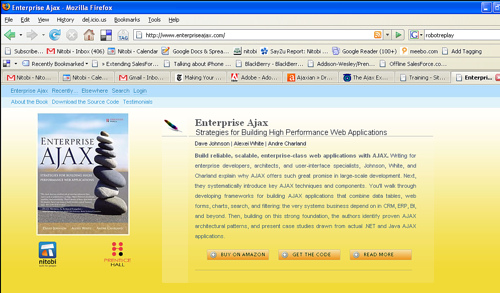
Book: Enterprise Ajax – Available now! | July 26th, 2007

898299433_491703e5db.jpg
Enterprise Ajax – Strategies for Building High Performance Web Applications is now in stores!
I’m so glad to finally have this available for people. We’ve worked long and hard to produce a resource that is in essense what we would have liked to have had about 3 years ago. If you are doing serious web development, and intend to employ Ajax. Even if you already have a beginners Ajax book like Head Rush Ajax (great book too btw), this book will save you weeks of headaches and give you opportunities for much more streamlined development.
You can get it at your local bookstore, or buy it online.

Posted in ajax, enterpriseajax, events, resources, web development, web2.0 | 3 Comments » | Add to Delicious | Digg It


Search Posts

You are currently browsing the archives for the Uncategorized category.

Archives

Categories

LinkedIn Profile

  • My Profile


My ideal work culture:
[See my summary] [What's yours?]