Update 2: I posted another fix to the file I posted yesterday to correct an issue with text objects inside iFrames.
Update: I posted a fix to the file I posted yesterday to correct an issue with weird characters appearing at the end of textareas in IE.
Wow. I was so surprised today to find out how hard it is to reliably get the current text selection and caret position through JavaScript in different browsers. Ok, Firefox is easy. Internet Explorer is profoundly hard and weird. I looked at a lot of different methods including (but not limited to):
.. and of course the official docs, which suck:
None of these methods worked for me, for various reasons. The biggest issue is IE6/7 differences in the techniques, and also differences with how TEXTAREA’s versus INPUT fields work.
I have tested this script and it appears to be working on:
- input text fields
- textareas
on..
- IE6
- IE7
- Firefox 2
- Safari (PC 3)
It probably works on Opera too.
For my full script go here:
getcaretselection3.js
Posted in firefox, ie6, ie7, opera, safari | 9 Comments » | Add to Delicious | Digg It
This has come up a couple times for me now so I thought I’d post this information for others so there is yet another place to find it.
It turns out that there are limits to the size or your querystring (what’s in your address bar). This depends on your browser:
Microsoft Internet Explorer
The maximum length of a URL in Internet Explorer is 2,083 characters, with no more than 2,048 characters in the path portion.
Firefox
After 65,536 characters, the location bar no longer displays the URL in Windows Firefox 1.5.x. However, longer URLs appear to work.
Safari
At least 80,000 characters will work.
Opera
At least 190,000 characters will work.
Apache Server
The official Apache documentation only mentions an 8,192-byte limit on an individual field in a request. However, independent tests indicate it’s closer to 4,000 Characters.
Microsoft Internet Information Server (IIS)
The default limit is 16,384 characters (yes, Microsoft’s web server accepts longer URLs than Microsoft’s web browser). This is configurable.
Perl HTTP::Daemon Server
Up to 8,000 bytes will work. Those constructing web application servers with Perl’s HTTP::Daemon module will encounter a 16,384 byte limit on the combined size of all HTTP request headers. This does not include POST-method form data, file uploads, etc., but it does include the URL. In practice this resulted in a 413 error when a URL was significantly longer than 8,000 characters.
Posted in ajax, firefox, ie6, ie7, safari, web development | No Comments » | Add to Delicious | Digg It
So our very own Andre Charland is on tour right now with the Adobe folks on the AIR (Adobe Integrated Runtime) bus tour http://onair.adobe.com/. Besides the fact that it looks like a lot of fun, its a great opportunity for us to be demoing not only our components, but also helping spread the word about Adobe’s new development tool.

For those who don’t know, AIR is a cross-operating system runtime that allows web developers to leverage their existing web development skills (such as Flash, Flex, HTML and JavaScript) to build and deploy web applications and content to the desktop.
AIR is exciting to web developers for few reasons:
- Cross platform desktop applications. This is killer. Imagine, write an application for the desktop once, and have it run on any platform – MacOS, Linux, Windows, etc.
- Write desktop apps in JavaScript/HTML. Yes. Write pretty darn powerful web applications and have them run like native desktop apps. You can also use Flex to build these applications for a richer experience.
- Apps that act like desktop apps. Don’t worry.. this isn’t just a chrome-less browser running on your desktop. This is a pretty full featured application framework that gives you access to the file system, system tray, and the web at the same time.
- Better integration for web applications. If you have a web application and would like your users to have a desktop component to that, this is the way to do it. Pownce is showing us how.
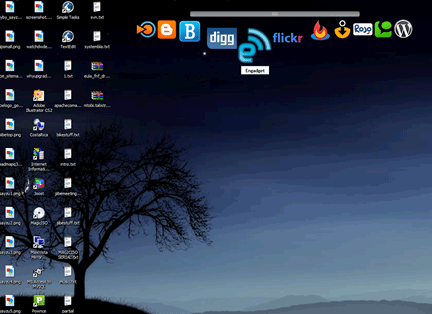 |
| Nitobi’s Fisheye Running in AIR on my desktop |
So what does this mean for the web development community?
- Well for one thing, it means that we’ll be seeing a lot more desktop integration for online applications in general, which means a better experience for users.
- We’re going to see a further proliferation of web API’s. Having seamless access to the web through AIR makes consuming and using web API’s much easier and makes a lot of sense, frankly.
- At the risk of sounding like a tout, I think we’ll see a growing interest in things like Flex, which are similar in the way they leverage existing skillsets to build applications. Also, AIR apps can be build with Flex in addition to JS/HTML.
What are the challenges / risks?
In general I think it will be crucial for Adobe to find effect means of distributing the AIR runtime component.. much the way they did with Flash. Blogs and advertising will get them the techy community, but to get real desktop penetration, they’ll need to ship it with a browser or piece of software that everybody owns. I had some ideas of my own… not all of them practical.
- Let developers bundle the runtime with .AIR applications! To my knowledge you cannot bundle the AIR runtime with your app. This would be a technical challenge, sure.. but not impossible to do. The goal would be to give a single executable away that users can run that will execute the AIR runtime if they don’t have it installed and then let the application run.
- Give some version of Photoshop away for free (one that does a LOT). Put AIR in the installer. Market the heck out of it. Get it bundled with everything as a killer value-add.
- Send it to customers with Adobe Updater. You’ll get millions of households that way.
- I dont think they’d get it bundled with a browser, but they might be able to get it pre-installed on Dell machines or convince Apple to put it in MacOS.. Why would they? Well, it really helps their customers after all, and Adobe might be able to sweeten the deal by shipping a free scaled-down version of Photoshop (maybe not called photoshop) – possibly under Apple branding. Small market, but an influential one.
A final thought here is the risk of someone uncovering a security hole or flaw in AIR that results in a PR firestorm for Adobe. If that happened, it would really hurt it’s chances of being adopted. This happened to ActiveX in IE. This is going to be a tricky tightrope for Adobe – offering enough power within the runtime, but pre-emptively avoiding any potential holes before they become vulnerabilities. When we visited Adobe earlier this year it really sounded like that was a major focus of theirs. We’ve noticed they’ve been very cautious in turning on functionality in Webkit, and I would guess that they’ve scaled back the capabilities of AIR for the initial release just to reduce their exposure should they have forgotten anything.
At any rate, I have doubt that this will become a major feature of the web. After playing with AIR myself, I’m quite impressed with how easy it is to build pretty powerful functionality. If you haven’t downloaded it, get on over to the Adobe website (http://labs.adobe.com/technologies/air/) and grab it. There are some great free resources here: http://www.ajaxian.com/downloads/books/AdobeAIR_for_javascript_developers.pdf if you’re looking for tutorials and the like.
�
Posted in air, ajax, business, safari, web development, web2.0 | No Comments » | Add to Delicious | Digg It
If you are building a drag and drop widget for Safari, you may be interested to know what the preferred technique is for preventing the highlighting of text. Well its actually a lot easier than other browsers.. In your CSS class, go:
-khtml-user-select: none;
Posted in Rich Internet Apps, User Interface, ajax, resources, safari | 1 Comment » | Add to Delicious | Digg It
Pigs Fly | June 11th, 2007
 Well its a great day for web development (or is it?). Apple has released Safari 3.0 for Windows Beta. You can download it from http://www.apple.com/
This is sortof how I view this release:
It will in theory be an advantage to developers if the browsing engine matches closely enough the version the most MacOS users have. Right now, it doesn’t. I immediately noticed inconsistencies in the display engine, meaning I’ll now have an additional platform to test on. I sincerely hope this is a safari 3.0 thing, not a safari Windows thing. ANYWAY.. thats not necessarily a criticism – just an initial observation.
A criticism (if there is any to be had) would be with the inconsistencies between versions of the Safari display engine.
Still. Its pretty awesome to have a PC native version of Safari! Go get a copy!
Posted in safari, web development | 6 Comments » | Add to Delicious | Digg It