HTML Select tag unsupported in Palm WebOS application framework | May 25th, 2010
A recent blog post by Steve at http://globalconstant.scnay.com/ revealed that HTML Select elements were not working in PhoneGap Palm … and after a quick test it appears that they’re not supported by WebOS at all. I scoured the internets trying to find this documented or discussed, and all I found was someone else mentioning it in the Palm Developer Center. This is quite surprising and a bit frustrating to know that such a basic HTML element is unsupported, and really messes with the cross-platform support of PhoneGap. It also gets me wondering what other HTML tags are unsupported.
The select element is rendered (though it is ugly, supporting the theory that this element is unsupported by webOS), but cannot be interacted with. I’m guessing that the custom Tap events used by Mojo are unimplemented on it.
Ideal world solution: Palm fixes this and gets it out in an upcoming release.
Real world solution: I start experimenting with ways to fix this. Would love to hear from the community on suggestions … but really the solution that comes to mind is that PhoneGap, during initialization, finds all the html select elements and replaces them with Mojo List Selector elements. Even at first thought, I see some hurdles:
- we will have to copy over all of the style and class attributes … but these may have an unexpected effect on the look of the widget, since the Mojo List Selector consists of html elements with internal Mojo css classes.
- we will have to implement the standard javascript events, if they are not already available, such as onchange, onfocus, etc.
So I hope to get some time to experiment with this soon, and see if I can sort it out. And hopefully not find out that there is a list of html tags unsupported by webOS.
PS — Suggestions appreciated!
UPDATE: I fixed html selects (basic functionality) for PhoneGap Palm, and the code could easily be ported to a non-PhoneGap WebOS app needing functional selects. It just shows a Mojo SubMenu, and manually changes the select’s value, as well as calling the onchange event. Check it out at http://github.com/phonegap/phonegap-palm/blob/master/framework/www/app/assistants/First-assistant.js.
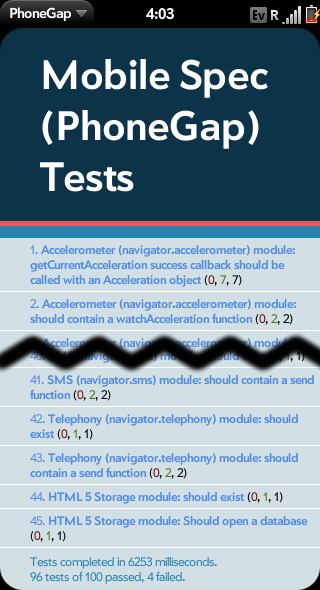
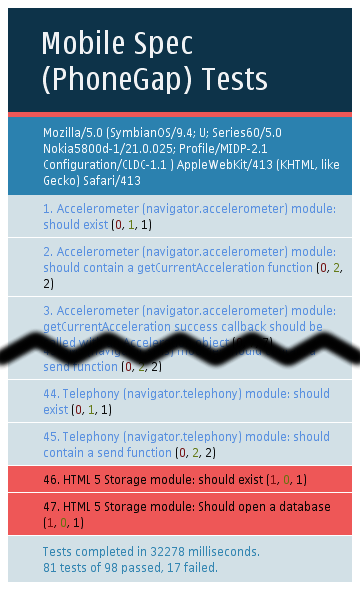
 ; Network reachability fails, as WRT provides no API for this (however I’m going to revisit this as I figure their should be a way to do this); File I/O fails, as WRT does not provide access to the file system. Basically after running these tests (and having them crash regularly, I think due to running out of memory), I’m thinking more and more that PhoneGap Symbian using Qt for Symbian is the way to go. WRT is a great tool, for lightweight apps, but its performance is not good. Javascript animation simply can’t be handled, and extensive sensor interaction will crash the application. Initial tests on PhoneGap using Qt for Symbian were much better. Not to say we should drop the WRT implementation overall, as it does meet certain needs.