Skip to Navigation | Skip to Content


PhoneGApp Store Approval | November 20th, 2009

I just received word from Apple that :

a) Apple has given PhoneGap a technical analysis , and PhoneGap does not violate the Terms & Conditions of the App Store.
b) Apple will review PhoneGap applications based on their own merits and not on their use of PhoneGap.

What this means:

There was still some apprehension within the community as to whether or not using PhoneGap would lead to a possible rejection from the iPhone App Store, we definitely have a green light to PhoneGap. This means we can all get back to doing what we love best, building fast, easy mobile apps with JavaScript+HTML+CSS while still taking advantage of the core features in the iPhone, Android, Symbian-WRT and Blackberry devices.

Happy coding!

[ Update:: April 13, 2010 ]

I have received word from Apple that the above is STILL true! If you were concerned by the recent changes to Apple’s iPhone developer agreement, this has ZERO impact on PhoneGap!

Apps built with PhoneGap will continue to be reviewed based on their own merits and NOT dismissed/rejected because they use PhoneGap.

So enough with the crazy speculative rumour mill. Let’s get back to making apps with HTML+CSS+JavaScript.

PhoneGap ftw!

Posted in iPhone, PhoneGap | 52 Comments » | Add to Delicious | Digg It

PhoneGap for iPhone exposed | November 4th, 2009

Earlier this week I attended the Apple iPhone Developers Tech Talks in Seattle. The event was free and by invite only and you had to have an app in the app store, or be very close to having one to be invited. This meant that the content of the talk could be technical without losing anyone, and we had an informative deep dive into technical things like OpenGLES, Device Audio, and UIKit functionality best practices. I learned a lot over the day about what to avoid, and how to optimize iPhone applications.

As a PhoneGap developer, user and evangelist, I made it my duty to talk to everyone I could about PhoneGap and guage the level of interest from the Apple dev community. After speaking to a couple people at Apple, it became clear that they are very much aware of PhoneGap, but have very little understanding of what it does or how it works. I have decided to dig into these questions to make sure that there are no misconceptions about the project. PhoneGap is entirely opensource, but not everyone has the time read a bunch of code. ( if only …)

PhoneGap Under the Hood

PhoneGap aims to provide a consistent interface to device functionality across multiple platforms to enable rapid application development via well known technologies, namely HTML / JavaScript / CSS.

At it’s core, PhoneGap is nothing more than a spec listing JavaScript accessible calls that an application programmer can use to make applications. Each device ( iPhone, Android, BlackBerry, … ) has it’s own specific implementation, and the tools and processes you use to build, test and deploy/submit your app will vary for each. So again, PhoneGap is a JavaScript accessible API implemented on multiple devices.

All implementations render their user interface using HTML and CSS in a web browser control of some sort. Most modern devices support rich rendering features ( HTML5, CSS3 ) so it is a relatively simple to design, and layout your application with your existing skills, tools, and even existing graphical assets.

The typical PhoneGap application is a packaged version of a webpage/website that runs from the phone. What this means is that all html/css/js files are bundled into the application and run from the file:// protocol. A common misunderstanding is that the application is loaded over the web, which is definitely NOT the way we recommend users write their apps, and (to my knowledge) NOT the way typical PhoneGap based applications are architected. In this case you would be writing a mobile-optimized website and will likely not be approved for app store submission.

In some cases PhoneGap applications have a server component that delivers data via an HTTP API, usually json or xml using XMLHttpRequest. PhoneGap itself does not provide any server communication functionality, so app developers must roll their own server access layer.

So How Does PhoneGap Work?

Every device implementation has it’s own specific means of accessing device functionality, so I will be focusing on the iPhone implementation. The iPhone implementation is probably the most misunderstood, and most used, plus it is where I have spent the most time.

How does JavaScript call Objective-C code?

In order for a developer’s application code (js) to access device functionality they will include the file phonegap.js in their (html) application. The file phonegap.js defines the entire API and contains the key functionality for device communication. All device functionality that PhoneGap exposes is done via the navigator object in JavaScript.
For example, to access Accelerometer functionality, you would call JavaScript methods on the navigator.accelerometer object.

In order for phonegap.js to send a request to the device it simply sets the location of the page based on the following protocol:

gap://CommandHandler.method?arg1Name=arg1Value&arg2Name=arg2Value

gap://
This is a phonegap request and not a request to load a new page.
CommandHandler
This is a subset of device functionality that contains methods. An example would be Accelerometer or Notification
method
Each CommandHandler defines it’s own methods
arguments
a URL encoded list of arguments that are passed to the method ( varies based on the method ) Note that phonegap.js will URLEncode the parameters for you.

and here’s a concrete example:

gap://Notification.alert?message=Hello&title=My%20App%Name&buttonLabel=OK

This will call the Notification objects alert method, passing it a message,title, and the text to display on the button.

So, upon receiving the command, Objective-C code will take over and perfom the requested command.

So How Does Objective-C call my JS code?

Some calls from JS require a callback mechanism to let the JS code know when the command has completed, if it succeeded and so on. The majority of this is handled for the developer in phonegap.js. Objective-C code will call stringByEvaluatingJavascriptFromString() to pass data back into the js code. The mechanism for each command is defined in phonegap.js, so the developer will simply pass a function callback that phonegap.js will call once the command has returned data.

Here is a concrete example:

In my application, I want to access the accelerometer, so I define a callback function :


function onAccelData(accelObj)
{
// accelObj has properties x,y,z that you can use to see the
// current state of the accelerometer so presumably you
// would do something with that data here.
}
function onAccelFail()
{
// accelermeter functionality is not available,
// do something else ...
}

In order recieve the data, I need to make a call to the js Accelerometer object :

navigator.accelerometer.watchAcceleration(onAccelData, onAccelFail);

Now, your callback is going to be called repeatedly with updated accelerometer data, that your application can use as you see fit. Since this is not intended to be a blog post about how to use the accelerometer, I will stop there. You should know also that the accelerometer supports stopping as well, and you can also specify how often you want to be updated.

So that, in a nutshell, is the entire iPhone implementation of PhoneGap. Note, there is no voodoo or magic sauce, just 2 data transfer mechanisms and a protocol between them.
Hopefully this will give better perspective and help anyone who has to answer the question: What is PhoneGap?

Remember that PhoneGap is completely opensource so if you want a deeper look under the hood, you are completely free to do so.

If you want to use PhoneGap, you can git it here :http://github.com/phonegap/phonegap
To read more, have a look at www.phonegap.com

I invite your questions, comments, criticism, accolades, beers!

Posted in iPhone, Objective-C, PhoneGap | 10 Comments » | Add to Delicious | Digg It

Running jQTouch in PhoneGap | October 28th, 2009

Update: the content of this post is no longer relevant. The gap has been filled.

Last week there were some discussions about the poor performance of jQTouch in PhoneGap apps, so I dug into it.

First I had to verify that this was something we were doing in PhoneGap and not a difference between Mobile-Safari and the UIWebView control which we use in PhoneGap.

I created a PhoneGap project and dropped the jQTouch sample code into the www folder, and immediately noticed the sluggish performance.

I then created a bare bones iPhone Windowed application with a UIWebView in it, and dropped the same www folder contents into the project root.

NSURL *appURL = [NSURL fileURLWithPath:[[NSBundle mainBundle] pathForResource:@"index" ofType:@"html" inDirectory:@"www"]];
NSURLRequest *appReq = [NSURLRequest requestWithURL:appURL cachePolicy:NSURLRequestUseProtocolCachePolicy timeoutInterval:20.0];
[webView loadRequest:appReq];

After running both builds on the device it was obvious that the PhoneGap version was in fact sluggish compared to the bare-bones version. Verified!

So, thinking about what could be causing this, I looked into the PhoneGapDelegate code, and immediately saw the Accelerometer handling code the a potential culprit. The PhoneGapDelegate class asks the sharedAccelerometer for updates 40x per second. According to the Applei Phone dev docs, this interval is “Suitable for games and other applications that use the accelerometers for real-time user input.” Which is cool, but probably way more than this application needs considering it isn’t even being used. Every time that the sharedAccelerometer calls back with an update, the javascript is written into the webView’s DOM. Commenting out the accelerometer code that sets up the interval indeed fixes the majority of the sluggishness. Verified! Pretty smooth, eh?

Okay, so commenting it out isn’t really a solution, so here is the plan:
I am working to re-implement the Accelerometer portion as a command, that can be used more elegantly. Javascript code inside the www folder should have the ability to set how frequently it wants be updated, and have the ability to start + stop monitoring the accelerometer, which should also remove the overhead.

Note:
If your application does not use the accelerometer, instead of commenting out the code like I did, you can simply set “EnableAcceleration” to false in PhoneGap.plist.

I will post an update here when I have checked in anything of significance.

Posted in iPhone, Objective-C, PhoneGap, Uncategorized, XCode | 10 Comments » | Add to Delicious | Digg It

PhoneGap Static lib for iPhone-XCode | October 27th, 2009

I recently spent some time evaluating the iPhone branch of PhoneGap and have made some changes that I think will make things easier to develop.

One of the key issues that I wanted to address was that PhoneGap existed as a repository and anyone that made an application with it would invariably have to mix their code in. In a very few cases it is possible to make a complete application using PhoneGap out of the box, but what if you need to add, remove or change something? As soon as you start messing with the core PhoneGap code, you are looking at huge merge issues when updates are pushed to the PhoneGap repo. Most likely you will just ignore any new commits, and your code will be stuck in time from the moment you changed it, or you will have to pick through the updates, and decide what is worth re-implementing in your own codebase.

My changes work as follows: You do not create a PhoneGap app anymore! You create an app that inherits from PhoneGap. This means your PhoneGap code can be in a git repo somewhere (github) while your application code can be in it’s own repo. If there are updates to the PhoneGap codebase then ( as long as the API has not changed ) you simply update PhoneGap and build your app.

In order to make these changes, I had to simplify some of the PhoneGap code. I removed the dependency on XIB files so the UIWebView is now created through code instead of automagically by XCode boilerplate code behind the scenes. The PhoneGap core code is now a static library that you link to and inherit from so there are some things you will have to do to create a new phonegap application. Also keep in mind that this is all subject to change as we are currently looking at ways of making this dead-simple.

You can git the code here: http://github.com/phonegap/phonegap/tree/plugins/iphone/

The new PhoneGap 12 step program

  1. In XCode create a new WindowBased iPhone Application.
  2. Select the project and add a reference to the PhoneGapLib project. ( The one you downloaded from git )
  3. Add a reference to all headers in the PhoneGapLib project ( these are needed so the compiler can know what you will be linking against, and what the base PhoneGapDelegate protocol looks like )
  4. Delete the MainWindow.XIB interface builder file that XCode created.
  5. In main.h add your app delegate class name to the UIApplicationMain call.
    ex.
    int retVal = UIApplicationMain(argc, argv, nil,@"MyAppDelegate");
  6. Change the interface of your application delegate to inherit from PhoneGapDelegate.
    ex.
    @interface MyAppDelegate : PhoneGapDelegate { }
  7. Select the build target in your project and add a dependency for PhoneGapLib.
  8. Add libPhoneGapLib.a to the ‘Link Binary with Library’ build step.
  9. Add the www folder to the ‘Copy Bundle Resources’ build step.
  10. Place phonegap.js in your www folder along with all your html/css/js application code.
    ( note: this is a little bit hack-y, and we are looking at ways of improving this step especially )
  11. Add project references to the following frameworks
    • AddressBook.framework
    • AddressBookUI.framework
    • AudioToolbox.framework
    • AVFoundation.framework
    • CFNetwork.framework
    • CoreGraphics.framework
    • CoreLocation.framework
    • Foundation.framework
    • MediaPlayer.framework
    • QuartzCode.framework
    • SystemConfiguration.framework
    • UIKit.framework
  12. Build and Go.

So What’s Next?

Recent PhoneGap discussions have led us to the conclusion that we need a plug-in architecture. It will be much easier to get people to contribute if they can focus on a key piece of functionality and not have to implement things throughout the codebase + it also gives a clearer separation of contributions and would allow for unit testing. This latest addition/change is a step towards a more plug-able architecture. Thanks also to Shazron for his help, support and suggestions along the way.

So get reviewin’ !!

Posted in iPhone, Objective-C, PhoneGap, XCode | 17 Comments » | Add to Delicious | Digg It

Image Caching with the HTML5 Canvas | September 24th, 2009

Lately I have been working on an iPhone app ( using PhoneGap of course ) and needed to implement image caching on the client with javascript.

I am already using an SQLite database in mobile safari, so I decided I could store images in Base64 in the DB. I was able to load the binary image data using XHR, but could not correctly encode it to base64 in javascript.

Exploring another path, I found that there is a method of the HTML5 Canvas toDataURL();

So I wrote this to download the image, instead of my XHR method :


ImageCacheManager.prototype.fetchImage = function(url)
{
var alias = this;
var img = new Image();
img.onload = function()
{
alias.onImageLoaded(this);
};
img.src = url;
}

Then this to handle the loaded image and cache it :


ImageCacheManager.prototype.onImageLoaded = function(img)
{
var canvas = document.createElement("canvas");
canvas.width = img.width;
canvas.height = img.height;
var ctx = canvas.getContext("2d");
ctx.drawImage(img,0,0);
var dataURL = canvas.toDataURL();
this.cacheImageData(img.src, dataURL);
}


To keep things short I have excluded the DB sections, I always check if I have an image cached already before I fetch one, and always write it to the DB when I do fetch. If an image is retrieved from the DB it can simply be written to the img.src as is.


I foresee all kinds of uses for this, like a javascript based image editor, or a water-marking script ( you can also draw text on the canvas before you pull out it’s bits … )

Posted in Uncategorized | 11 Comments » | Add to Delicious | Digg It

YuTuplr - Getting Started. | May 28th, 2009

Lately in my spare time I have been quietly plugging away at building a simple YouTube uploader application in Air.  Nitobi encourages us to spend part of our time on our own pet projects, as well as community interaction and contributing to open source initiatives.  I have been working on this application ( YuTuplr - as in a short form of YouTube Uploader ) primarily by myself, so it has forced me to reach outside my comfort zone, and do some things that I usually take for granted.  I have approached this project as if it were a stand-alone product, so it has it’s own logo, branding, domain, and website.  All of my work, with the exception of some developer keys and fonts is open source and is available on google code.
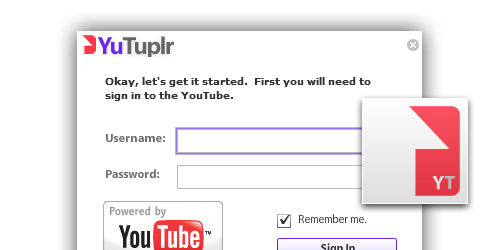
I am posting the following as sort of a quick start guide for anyone who wants to add YouTube upload functionality to their own Air apps, or just learn some AS3. Â For the complete picture, please download and study the YuTuplr source.

The application is seperated into 2 seperate flex projects.

The AirYouTubeUploaderLib is a Flex/Air library project that contains all of the functionality related to YouTube.  The goal was to hide the low level stuff, and allow API users to build client application without the greasy YouTube API details.

YuTuplr is a somewhat full-blown example of a client, and can be used as a guide for building your own clients.  YuTuplr’s source code is in the project AirYouTubeUploaderSampleApp and contains a reference to the AirYouTubeUploaderLib project.

The YouTubeService class is the main point of interaction with your code.

To get started using the service, simply create an instance, and give it your YouTube developer credentials. You will need to get your credentials from YouTube.


import com.nitobi.webapis.youtube.YouTubeService;
ytService = new YouTubeService();
ytService.setCredentials(clientID,devKey);

Authentication

You can look at ytService.isAuthenticated to see if you are already logged in, and currentUserName to get the current user’s name.

To login, simply call :
ytService.login(userName:String,password:String,rememberMe:Boolean = true):void

If the rememberMe flag is true, the YouTubeService will store the username/password in a LocalSharedObject.

To retrieve the previously stored values, YouTubeService has public getters :Â
storedUsername():StringÂ
storedPassword():String

Both getters will return “” if the last login did not set rememberMe to true.

YuTuplr uses this information when it initializes the login window like the following:

usernameInput.text = ytService.storedUsername;
passwordInput.text = ytService.storedPassword;
cbRememberMe.selected = usernameInput.text.length > 0;

The service will dispatch the following YouTubeEvent(s) related to login:

YouTubeEvent.YT_LOGIN_STARTÂ - the service is attempting to log in, use this to display a spinner or disable a log in button

YouTubeEvent.YT_LOGIN_SUCCESSÂ - all systems go! The user has been authenticated.

YouTubeEvent.YT_LOGIN_ERRORÂ - there was an error logging in, bad username or password.

Getting the user’s Uploads

The service exposes several bindable ArrayCollections for data storage.

YouTubeService.userUploads - a collection of UserUpload objects, all in various states.  Some may be completed, but still in the list, others may be pending or failed.

Upload status is statically defined by the UserUpload class

UserUpload.STATUS_UPLOADINGÂ - the file is currently being uploaded

UserUpload.STATUS_COMPLETEDÂ - the upload has completed

UserUpload.STATUS_ERRORÂ - the upload failed

UserUpload.STATUS_QUEUEDÂ - file is in queue, and will be uploaded according to it’s order in the queue

UserUpload.STATUS_PENDINGÂ - this upload is being edited (meta) and should not be uploaded yet

- set the status to STATUS_PENDING to prevent the uploader from trying to upload a file while the user is editing the details.

In order to add to YouTubeService.userUploads, simply call YouTubeService’s addFile method passing it a file object.  If the file object is a directory, the service will locate all supported video files (by extension) within it and add them to the list.

public function addFile(file:File):Boolean;
public function addFiles(fileList:Array):Boolean;

The service also provides methods for cleaning up the list:

To remove all uploads that have a status of complete:

public function clearCompletedUploads():void

To retry all failed uploads:Â
public function retryFailedUploads():void

- Behind the scenes, this resets status to UserUpload.STATUS_QUEUED and they will be uploaded according to their order in the queue.

To remove failed uploads:
public function removeFailedUploads():void

To remove an individual UserUpload from the queue:
public function removeFileFromQueue(upld:UserUpload):void

Â
A key goal in the design of the architecture was to support binding throughout.

You can safely bind a list control to the UserVideos collection, and when updates are received from YouTube the same object instances are updated with the new values.  This makes the service pretty easy to interact with, as binding does most of the work.

YouTubeService.userVideos

The userVideos ArrayCollection is a list of all the users previously uploaded videos. Each item in the list is of type :UserVideo

UserVideo have the following properties:

id:String; // the unique id assigned by YouTube
thumbnail1:String;// URLs to video images.
// Note: the thumbnails are null until YouTube has processed the movie
thumbnail2:String;
thumbnail3:String;
durationSeconds:int;
viewCount:int;
commentsCount:int;
published:Date;
updated:Date;
status:String; // UserVideo. ( STATUS_PROCESSING | STATUS_ACTIVE | STATUS_REJECTED )
reason:String; // ie. Duplicate video ( this is only available if status == STATUS_REJECTED )
description:String;
keywords:String;
rating:Number = 0;

The UserVideo also has a getter for formatted duration, which returns a formatted time string MM:SS
get formattedDuration():String

YouTube events dispatched by the service

Your application will want to subscribe to events to know what is happening with the service.

YouTubeEvent statically defines all the events that the service will dispatch.

YouTubeEvent.YT_LOGIN_STARTÂ - the service is attempting to log in, use this to display a spinner or disable a log in button

YouTubeEvent.YT_LOGIN_SUCCESSÂ - all systems go!

YouTubeEvent.YT_LOGIN_ERRORÂ - there was an error logging in, bad username or password

YouTubeEvent.YT_GOT_USER_VIDEOSÂ - the authenticated user’s videos have been retrieved from YouTube

YouTubeEvent.YT_NO_CREDENTIALSÂ - an API call was attempted, but you have not set the developerKey and clientID.

YouTubeEvent.YT_UPLOAD_SUCCESSÂ - an upload has successfully completed

YouTubeEvent.YT_UPLOAD_ERRORÂ - there was an error uploading a file.

YouTubeEvent.YT_UPLOAD_COMPLETEÂ - an upload has completed, this is fired both on success and error conditions

YouTubeEvent.YT_UPLOAD_PROGRESSÂ - YouTubeEvent.data contains bytesLoaded and bytesTotal that you can use to bind directly to a progress bar.

YouTubeEvent.YT_PROCESSING_COUNT_CHANGE - when videos are uploaded to YouTube, they must be transcoded before they are available.  The YouTubeService keeps tracks of how many UserVideos are processing and fires this event whenever the count changes.

YouTubeEvent.YT_FILESIZE_EXCEEDEDÂ - the user has added a file that is over the YouTube defined 1 GB limit

Â

Hopefully that is enough to get you started playing with the YouTube Uploader Library. Â I welcome all comments, questions, suggestions and especially contributions if anyone wants to jump in and help push the app to the next level.

Jesse

Posted in Adobe Air, Air, Flex | 9 Comments » | Add to Delicious | Digg It

The race to the MegaTweet | April 17th, 2009

The day started like any other day, sitting tired on SkyTrain on my way to work, when I happen to catch the headline on the newspaper of the commuter in front of me. Â ”Kutcher’s race to a million twitter followers.” Â With peaked intrest I pulled out my iPhone and read some more about it. Â

Ashton Kutcher had some 9 hundred something thousand followers on Twitter, and was close behind CNN in the number one position. Â Both were approaching 1 million so I guess it seemed to be the likely target. Â After watching Ashton’s YouTube video ( BTW: I love my iPhone 3G ) I was a little perturbed by Ashton’s claim that his reaching 1 million followers would somehow signal a new age because (heavy paraphrasing here) “… an everday person has a greater reach than the media conglomerate … “. Â My problem was with the claim that Ashton was somehow representive of ‘everone’, not that I have anything against him, but he has a great deal more celebrity than most will ever achieve, so he hasn’t lived in the ‘everyman’ world for quite awhile. Â My immediate reaction was simple: “Fuck him, I’ll do it first! I’ll beat ‘em both, because I AM everyman!”.

When I got to work, I ran the idea past a couple co-workers, and they were supportive, so I went to Twitter and created a new account http://twitter.com/Power2TheTweepl ( Ashton had used the term ‘Power to the people” in his YouTube video ). Next I proceeded to follow everyone I was really following in my other ‘real’ account, careful not to follow myself first and give away my real identity.

I then sent an email to the team @nitobi and told them what I had started, and giving them a call to action to get the word out. Â I got some great recommendations for profile images (#1, #2) from Brian, but in the end chose to go a different way. Â I immediately got some follows from the team, and some retweets of my initial messages, and I was off to the races.

I spent some time following people, strangers really, hoping they would follow me back … and alot did. Â I chose people to follow by going after twitter users who had large numbers of followers, jumping to their ‘followers’ page and haphazardly clicking follow ( I love Ajax! ) Â I didn’t spend a lot of time on this, as I also have a job to do, but did learn some stuff, which I’ll get to.

Ashton eclipsed CNN at about 7:00 PM and around 11:00 PM PST, Ashton reached a million followers. This isn’t a news report, so if you want the details of what happened, check it out here. Â I was able to get 130 followers, including @NitobiMouse.

Okay, the lessons.

Â

  • if you follow a stranger they will usually follow you back, at least for a little while.
  • if you follow someone who has no followers, you might scare them, and they might send you a message saying something like ‘Why are you following me?’ Â ( Oprah’s followers are heavy in this category )
  • twitter is still new to A LOT of people.
  • twitter is pretty amazing when you think about how vast the system is. (I only saw ~8 fail whales)
  • does this matter? Who cares!
  • I’m not as popular as Ashton Kutcher ( yet… )Â
  • Ashton is donating Mosquito nets to Africa, so some good is coming from all this.

Â

While writing this I got 8 new follows, so I may still keep the account active, we’ll see. Â Also, I was not the only person to have this reaction, @TotalNobody had the same idea …

My final thought. Â Tomorrow, Oprah will be posting her first tweet live on her show, so Twitter is becoming less social and more of a platform everyday. Â Not sure if this is a good thing, a bad thing, or if it is even a thing.

Thoughts?

Jesse

Â

Â

Â

Posted in Uncategorized | No Comments » | Add to Delicious | Digg It

Overlay.tv - YouTube Uploader Pt.2 | February 17th, 2009

Integration with Overlay’s services was somewhat easier. They have a published API but unfortunately for this project, it is intended for use on other websites, so it did not make sense in a client application.

Overlay also has a flash movie that they use in their pages to support viewing, creating and editing overlays. The flash movie is an AS2 movie, so I was not able to load it directly, but instead ended up creating an HTML control and dynamically modifying the flashvars to get at the functionality we needed. ( BTW I love the HTML control in Air! ) The Flash movie already implemented 100% of overlay’s functionality, so I was very glad to be able to use it directly.

Working closely with Overlay, I was given instructions on how to authenticate a user and get xml back.  For getting the list of the current user’s overlays we consumed just grabbed the user’s rss feed.Â

So go check out the Overlay.tv YouTube uploader and start making some overlays!. Â

Your feedback is welcomed.

Cheers,

  Jesse

Â

Posted in Adobe Air, Flex | No Comments » | Add to Delicious | Digg It

Overlay.tv - YouTube Uploader Pt.1 | February 16th, 2009

I recently had the opportunity to work on an interesting project. Overlay.tv offers a service that allows their users to create overlays of YouTube videos by adding contextual items like text, links, and product ads. Overlay.tv wanted an Air application to help introduce new users to their service. Overlay does not host the movies that are the source of the overlay, and their largest source of overlays is YouTube videos. As an added value to YouTube users the application needed to allow users to quickly and easily upload videos ( to YouTube ) and then quickly turn those same videos into Overlays.

I was late in joining this project, so much of the above had already been decided for me, as well as the UX-design and a signed off UI-prototype, so I began where I always do, with what I thought was the most challenging and the greatest risk: Uploading to YouTube.

YouTube - functionality

After looking through YouTube’s exhaustive api documentation, it seemed like it would be easy to work with, and I had the basics worked out in a hurry. I was able to authenticate a user, and get the list of their uploaded videos. Great, on to the uploading… not so fast.

While researching YouTube’s API, I also spent some time looking at blog posts and opensource projects related to YouTube. I did not see any opensource projects that allowed uploading to YouTube, and originally just saw this as an opportunity, but later found it was obstacle. The long and the short is that YouTube’s uploading mechanism requires special headers to sent in the HTML post, and AS3′s File.upload method does not allow custom headers. After several failed attempt to get anything working, I looked around some more, and found that many other people were compaining about the same thing. There has to be a way …

Going back to YouTube’s API documentation, I discovered that there is another API for uploading, but it is intended for websites to allow their users to upload directly to YouTube from another site. The way it works is, the meta information is first posted to YouTube, and a response is returned that contains a temporary session key, and a unique url that the server can post to. That’s it! So my upload functionality had to be broken into 2 server calls instead of 1, big whoop, I had a proof of concept going in no time, and was back on track.

Nitobi embrasses opensource, so I immediately identified this functionality as something that would be shared with the community and approached the YouTube AS3 API implementation as a black-box that should be reusable. I made sure that there were no dependancies on other libraries, defined an interface and event model that made sense in the context that it was needed and was off to the races. ( Note: The YouTube Air/AS3 portion of this project will be made opensource and the subject of future more technical blog posts )

Integration with Overlay.tv will be discussed in the next installment, so check back soon …

J

Â

Â

Â

Â

Posted in Adobe Air, Flex | 1 Comment » | Add to Delicious | Digg It

Obligatory Introduction | January 27th, 2009

Hello, I’m Jesse and I am a Flex/Air/… developer at Nitobi.

In the past, I have not been much of a blogger, but we’ll see how that goes.

I’ll be filling in more details about myself as back-story later, so stay tuned.

Â

Posted in Uncategorized | No Comments » | Add to Delicious | Digg It