YuTuplr - Getting Started. | May 28th, 2009
Lately in my spare time I have been quietly plugging away at building a simple YouTube uploader application in Air.  Nitobi encourages us to spend part of our time on our own pet projects, as well as community interaction and contributing to open source initiatives.  I have been working on this application ( YuTuplr - as in a short form of YouTube Uploader ) primarily by myself, so it has forced me to reach outside my comfort zone, and do some things that I usually take for granted.  I have approached this project as if it were a stand-alone product, so it has it’s own logo, branding, domain, and website.  All of my work, with the exception of some developer keys and fonts is open source and is available on google code.
I am posting the following as sort of a quick start guide for anyone who wants to add YouTube upload functionality to their own Air apps, or just learn some AS3. Â For the complete picture, please download and study the YuTuplr source.
The application is seperated into 2 seperate flex projects.
The AirYouTubeUploaderLib is a Flex/Air library project that contains all of the functionality related to YouTube.  The goal was to hide the low level stuff, and allow API users to build client application without the greasy YouTube API details.
YuTuplr is a somewhat full-blown example of a client, and can be used as a guide for building your own clients.  YuTuplr’s source code is in the project AirYouTubeUploaderSampleApp and contains a reference to the AirYouTubeUploaderLib project.
The YouTubeService class is the main point of interaction with your code.
To get started using the service, simply create an instance, and give it your YouTube developer credentials. You will need to get your credentials from YouTube.
import com.nitobi.webapis.youtube.YouTubeService;

ytService = new YouTubeService();

ytService.setCredentials(clientID,devKey);
Authentication
You can look at ytService.isAuthenticated to see if you are already logged in, and currentUserName to get the current user’s name.
To login, simply call :
ytService.login(userName:String,password:String,rememberMe:Boolean = true):void
If the rememberMe flag is true, the YouTubeService will store the username/password in a LocalSharedObject.
To retrieve the previously stored values, YouTubeService has public getters :Â
storedUsername():StringÂ
storedPassword():String
Both getters will return “” if the last login did not set rememberMe to true.
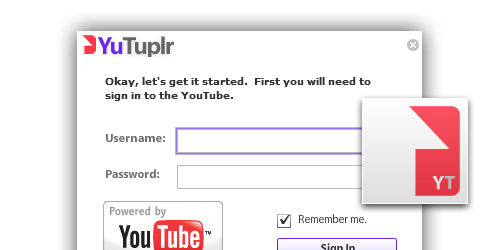
YuTuplr uses this information when it initializes the login window like the following:
 usernameInput.text = ytService.storedUsername;

passwordInput.text = ytService.storedPassword;

cbRememberMe.selected = usernameInput.text.length > 0;
The service will dispatch the following YouTubeEvent(s) related to login:
YouTubeEvent.YT_LOGIN_STARTÂ - the service is attempting to log in, use this to display a spinner or disable a log in button
YouTubeEvent.YT_LOGIN_SUCCESSÂ - all systems go! The user has been authenticated.
YouTubeEvent.YT_LOGIN_ERRORÂ - there was an error logging in, bad username or password.
Getting the user’s Uploads
The service exposes several bindable ArrayCollections for data storage.
YouTubeService.userUploads - a collection of UserUpload objects, all in various states.  Some may be completed, but still in the list, others may be pending or failed.
Upload status is statically defined by the UserUpload class
UserUpload.STATUS_UPLOADINGÂ - the file is currently being uploaded
UserUpload.STATUS_COMPLETEDÂ - the upload has completed
UserUpload.STATUS_ERRORÂ - the upload failed
UserUpload.STATUS_QUEUEDÂ - file is in queue, and will be uploaded according to it’s order in the queue
UserUpload.STATUS_PENDINGÂ - this upload is being edited (meta) and should not be uploaded yet
- set the status to STATUS_PENDING to prevent the uploader from trying to upload a file while the user is editing the details.
In order to add to YouTubeService.userUploads, simply call YouTubeService’s addFile method passing it a file object.  If the file object is a directory, the service will locate all supported video files (by extension) within it and add them to the list.
 public function addFile(file:File):Boolean;

public function addFiles(fileList:Array):Boolean;
The service also provides methods for cleaning up the list:
To remove all uploads that have a status of complete:
public function clearCompletedUploads():void
To retry all failed uploads:Â
public function retryFailedUploads():void
- Behind the scenes, this resets status to UserUpload.STATUS_QUEUED and they will be uploaded according to their order in the queue.
To remove failed uploads:
public function removeFailedUploads():void
To remove an individual UserUpload from the queue:
public function removeFileFromQueue(upld:UserUpload):void
Â
A key goal in the design of the architecture was to support binding throughout.
You can safely bind a list control to the UserVideos collection, and when updates are received from YouTube the same object instances are updated with the new values.  This makes the service pretty easy to interact with, as binding does most of the work.
YouTubeService.userVideos
The userVideos ArrayCollection is a list of all the users previously uploaded videos. Each item in the list is of type :UserVideo
UserVideo have the following properties:
id:String; // the unique id assigned by YouTube

thumbnail1:String;// URLs to video images.

// Note: the thumbnails are null until YouTube has processed the movie

thumbnail2:String;

thumbnail3:String;

durationSeconds:int;

viewCount:int;

commentsCount:int;

published:Date;

updated:Date;

status:String; // UserVideo. ( STATUS_PROCESSING | STATUS_ACTIVE | STATUS_REJECTED )

reason:String; // ie. Duplicate video ( this is only available if status == STATUS_REJECTED )

description:String;

keywords:String;

rating:Number = 0;
The UserVideo also has a getter for formatted duration, which returns a formatted time string MM:SS
get formattedDuration():String
YouTube events dispatched by the service
Your application will want to subscribe to events to know what is happening with the service.
YouTubeEvent statically defines all the events that the service will dispatch.
YouTubeEvent.YT_LOGIN_STARTÂ - the service is attempting to log in, use this to display a spinner or disable a log in button
YouTubeEvent.YT_LOGIN_SUCCESSÂ - all systems go!
YouTubeEvent.YT_LOGIN_ERRORÂ - there was an error logging in, bad username or password
YouTubeEvent.YT_GOT_USER_VIDEOSÂ - the authenticated user’s videos have been retrieved from YouTube
YouTubeEvent.YT_NO_CREDENTIALSÂ - an API call was attempted, but you have not set the developerKey and clientID.
YouTubeEvent.YT_UPLOAD_SUCCESSÂ - an upload has successfully completed
YouTubeEvent.YT_UPLOAD_ERRORÂ - there was an error uploading a file.
YouTubeEvent.YT_UPLOAD_COMPLETEÂ - an upload has completed, this is fired both on success and error conditions
YouTubeEvent.YT_UPLOAD_PROGRESSÂ - YouTubeEvent.data contains bytesLoaded and bytesTotal that you can use to bind directly to a progress bar.
YouTubeEvent.YT_PROCESSING_COUNT_CHANGE - when videos are uploaded to YouTube, they must be transcoded before they are available.  The YouTubeService keeps tracks of how many UserVideos are processing and fires this event whenever the count changes.
YouTubeEvent.YT_FILESIZE_EXCEEDEDÂ - the user has added a file that is over the YouTube defined 1 GB limit
Â
Hopefully that is enough to get you started playing with the YouTube Uploader Library. Â I welcome all comments, questions, suggestions and especially contributions if anyone wants to jump in and help push the app to the next level.
Jesse